JSON vs YAML: Differences and How to Convert Between Them
Last reviewed: October 1, 2026
Short answer: JSON and YAML describe the same kind of data: objects (mappings), arrays (sequences), strings, numbers, booleans and null. JSON uses braces, brackets, commas and mandatory double quotes, has no comments, and is the default for APIs and machine-to-machine exchange. YAML uses indentation, makes most quotes optional, allows comments, multi-line strings, anchors and several documents in one file, and is the default for configuration that people edit by hand.
Converting JSON to YAML is lossless. Converting YAML to JSON keeps the data but drops comments, anchors and tags. The main risk is YAML's implicit typing: unquoted values such as no, 1.10 or 0123 may not be read as strings.
This guide compares the two formats using the published standards, then walks through conversion in both directions. If you only need the result, you can paste your data into this free JSON to YAML converter to switch between the two formats instantly, then come back here when a value changes type or a parser rejects the output.
In this guide
- What JSON is
- What YAML is
- The same data in JSON and YAML
- JSON vs YAML comparison table
- Is YAML a superset of JSON?
- Where each format is used
- How to convert JSON to YAML
- How to convert YAML to JSON
- What is lost when converting YAML to JSON
- Type gotchas
- Indentation rules and tabs
- Security: use safe loading
- Validation and linting
- Command-line and code options
- Best practices
- Common errors and fixes
- FAQ
- Bottom line
- Sources
What JSON is
JSON (JavaScript Object Notation) is a lightweight, text-based, language-independent data interchange format. It is defined by two aligned standards: RFC 8259 from the IETF and ECMA-404 (2nd edition, December 2017) from Ecma International.
RFC 8259 states that a JSON value must be an object, array, number or string, or one of the three literal names false, null and true. That is the whole type system. A few rules from the RFC matter for conversion:
- Strings and object names use double quotes. Single quotes and unquoted names are not part of the grammar.
- No comments and no trailing commas. Neither appears in the grammar, so a strict parser rejects them.
- Numbers cannot have leading zeros.
0123is not valid JSON;123and0.5are. - Names within an object should be unique. The RFC says "SHOULD", not "MUST", and notes that implementations differ: many report only the last pair, some fail, some return all pairs.
What YAML is
YAML is a human-friendly data serialization language built from three node kinds: mappings (key/value pairs), sequences (ordered lists) and scalars (strings, numbers, booleans, null). The current specification is YAML 1.2.2, published at yaml.org.
YAML has two styles. Block style uses line breaks and indentation. Flow style uses braces, brackets and commas, and looks like JSON. YAML adds features JSON does not have:
- Comments starting with
#. The specification calls them a presentation detail that must not convey content. - Plain (unquoted) scalars, whose type is decided by a schema. The recommended Core schema resolves
trueandfalseto booleans,nulland~to null, and digit patterns to integers or floats. - Block scalars for multi-line text: literal (
|) keeps line breaks, folded (>) turns single line breaks into spaces. - Anchors and aliases (
&nameand*name) to reuse a node. - Tags such as
!!strto force a type. - Multiple documents in one stream, separated by
---.
The same data in JSON and YAML
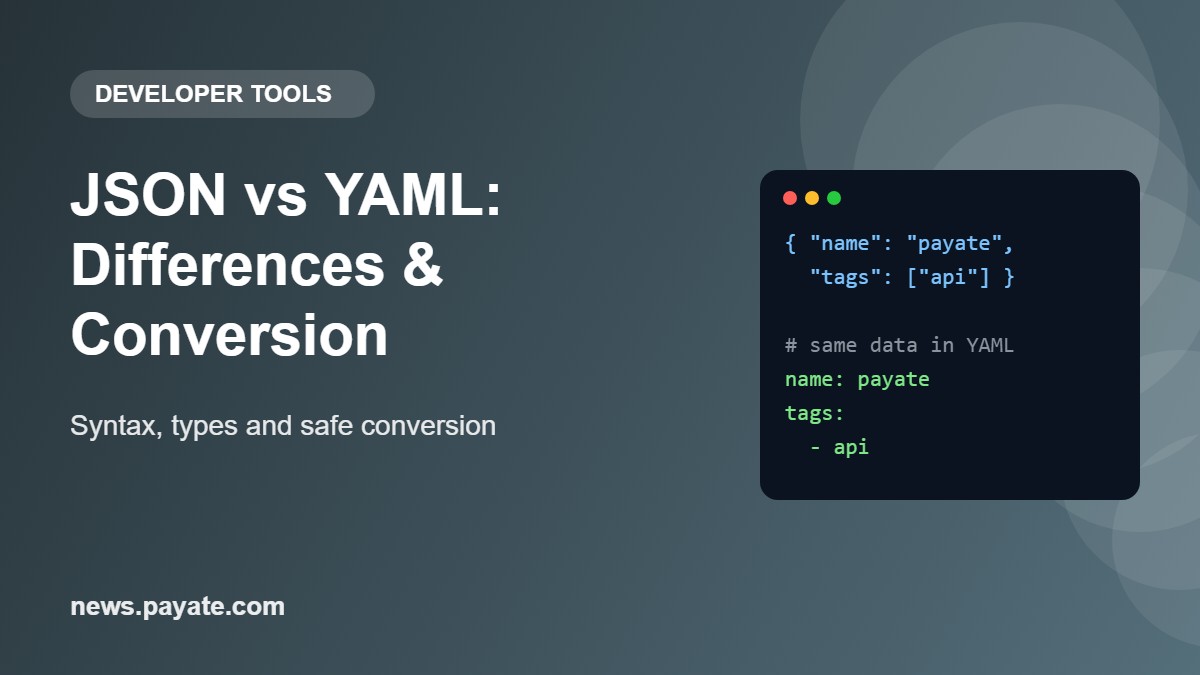
The structure is identical; only the punctuation changes. Here is one configuration object in JSON:
{
  "name": "payments-api",
  "version": "1.10",
  "port": 8080,
  "debug": false,
  "tags": ["api", "internal"],
  "database": {
    "host": "db.example.com",
    "port": 5432,
    "replica": null
  }
}
And the same data in block-style YAML:
# Service settings
name: payments-api
version: "1.10"   # quoted so it stays a string
port: 8080
debug: false
tags:
  - api
  - internal
database:
  host: db.example.com
  port: 5432
  replica: null
Braces become indentation, brackets become lines starting with - , commas disappear, and most quotes become optional. The quotes around "1.10" stay for a reason explained under type gotchas.
JSON vs YAML comparison table
The formats share a data model but differ in almost every syntax detail. Use this table as a quick reference.
| Feature | JSON (RFC 8259) | YAML 1.2 |
|---|---|---|
| Comments | Not supported | # to end of line |
| Data types | Object, array, string, number, true, false, null | Mapping, sequence, scalar; scalar types resolved by schema (Core schema adds hex and octal integers, .inf, .nan) |
| Quoting | Double quotes required for strings and names | Optional; plain, single-quoted or double-quoted |
| Multi-line strings | One line with \n escapes | Literal | and folded > block scalars |
| Anchors and aliases | Not supported | &anchor and *alias |
| Multiple documents per file | No (one value per text) | Yes, separated by --- |
| Trailing commas | Not allowed | Block style has no commas |
| Duplicate keys | Names "SHOULD be unique"; behavior varies by parser | Keys must be unique; duplicates are an error |
| Key types | Strings only | Any node (numbers, booleans, even sequences or mappings) |
| Structure markers | Braces, brackets, commas | Indentation with spaces, never tabs |
Is YAML a superset of JSON?
By specification, yes: YAML 1.2 was written with the primary goal of making YAML a strict superset of JSON, and the spec says YAML can be viewed as a natural superset of JSON. In practice there are caveats, so do not assume every YAML parser accepts every JSON file.
- Duplicate keys. JSON only says names should be unique, so a JSON text with a repeated name is still grammatical. YAML requires unique keys, and a strict YAML parser will report an error.
- Parser version. The guarantee belongs to YAML 1.2. Many widely used libraries were written against YAML 1.1; the PyYAML documentation, for example, refers to the YAML 1.1 specification. Those parsers also apply the older type rules described below.
The takeaway: a JSON document is already flow-style YAML, so converting it is mostly reformatting into block style. The reverse is not true; most YAML files are not valid JSON.
Where each format is used
Use JSON when programs talk to programs, and YAML when people write configuration.
- APIs and data exchange: JSON. It is strict, compact and widely supported.
- Kubernetes: YAML by convention. The Kubernetes documentation says manifests are YAML by convention, that JSON also works, and that tools such as kubectl convert the manifest into JSON or another supported format when making the API request.
- Docker Compose: YAML. The default Compose file is
compose.yaml(preferred) orcompose.yml, and anchors and aliases can be used to reuse fragments. - GitHub Actions: YAML. Workflow files use YAML syntax, must have a
.ymlor.yamlextension, and live in.github/workflows. - OpenAPI: either. The OpenAPI Specification says a document may be represented in JSON or YAML. It recommends YAML 1.2 and requires map keys to be scalar strings, so that documents can round-trip between the two formats.
Avoid YAML for data that only machines read and write. Avoid JSON for files that need comments.
How to convert JSON to YAML
Converting JSON to YAML is mechanical and loses nothing, because everything JSON can express exists in YAML. Apply these steps from the outside in.
- Objects: remove the braces and commas; write each member as
key: valueon its own line. - Nested objects: put the key on one line ending in a colon, then indent the members beneath it (two spaces is the common choice).
- Arrays: remove the brackets; write each element on its own line starting with
-. - Strings: drop the quotes only when the text cannot be mistaken for another type or for YAML syntax.
- Empty containers: keep
{}and[]as they are.
Worked example: nested objects and arrays of objects
The side-by-side example above shows a nested object and a simple array. An array of objects needs more care:
{
  "services": [
    {"name": "web", "ports": [80, 443], "env": {"MODE": "prod"}},
    {"name": "worker", "ports": [], "env": {}}
  ]
}
becomes:
services:
  - name: web
    ports:
      - 80
      - 443
    env:
      MODE: prod
  - name: worker
    ports: []
    env: {}
Each object in the array starts with - , and its remaining keys line up under the first key.
Worked example: multi-line strings
{"script": "echo \"start\"\nmake build\n"}can be written as a literal block scalar, which keeps each line break and needs no escaping:
script: |
  echo "start"
  make build
A plain | keeps one trailing line break, matching the final \n in the JSON. Without a trailing \n, use |- (strip); |+ keeps all trailing line breaks.
Strings you must keep quoted
Leave the quotes on any string that:
- looks like another type:
"true","null","123","1.10","2026-10-01","no","~"; - is empty, or has leading or trailing spaces;
- contains a colon followed by a space, or a space followed by
#; - starts with an indicator character such as
-,*,&,!,|,>,[or{.
How to convert YAML to JSON
Converting YAML to JSON means resolving every YAML convenience into explicit JSON syntax: types are decided, aliases are expanded, block scalars become escaped strings, and comments are removed.
- Mappings become objects in braces, with every key in double quotes.
- Sequences become arrays in brackets.
- Plain scalars are typed by the schema: numbers,
true,falseandnullstay bare; everything else becomes a double-quoted string. - Block scalars become one-line strings with
\nescapes, and inner double quotes and backslashes are escaped. - Aliases are replaced by a copy of the anchored node.
- Multiple documents must be split into separate JSON files or wrapped in one array, because a JSON text holds a single value.
Worked example: folded and literal strings
description: >
  This text is folded
  into a single line.
motd: |-
  Line one
  Line two
converts to:
{
  "description": "This text is folded into a single line.\n",
  "motd": "Line one\nLine two"
}
The folded scalar joins its lines with a space and keeps one trailing line break. The literal scalar with - strips the final one.
Worked example: anchors and aliases
defaults: &defaults
  retries: 3
  timeout: 30
staging:
  settings: *defaults
production:
  settings: *defaults
converts to JSON with the anchored mapping copied to each alias:
{
  "defaults": {"retries": 3, "timeout": 30},
  "staging": {"settings": {"retries": 3, "timeout": 30}},
  "production": {"settings": {"retries": 3, "timeout": 30}}
}
You will also see the merge key, written <<: *defaults, which inserts the keys of the anchored mapping into the current one. It is defined as a YAML 1.1 type, not in the YAML 1.2 specification, so support depends on the parser. Docker Compose documents that it follows the merge type for mappings. A converter without support may output a literal "<<" key.
What is lost when converting YAML to JSON
The data survives; the presentation and several YAML-only features do not. Expect to lose the following.
- Comments. They are not part of the data, so a converter has nowhere to put them.
- Anchors and aliases. They are expanded into copies, and the link between the copies is gone.
- Tags. Explicit tags such as
!!strare applied and then disappear. Custom tags have no JSON equivalent. - Non-string keys. YAML keys can be any node; JSON names are strings. A key like
1ortrueis usually turned into the string"1"or"true", and a sequence or mapping used as a key typically makes the conversion fail. - Special floats.
.infand.nancannot be written as JSON numbers.
Key order caveat: do not rely on key order surviving. The YAML spec says a sequence must be used wherever order matters, and RFC 8259 notes that JSON libraries differ on whether they expose member order.
Type gotchas
Most conversion bugs come from a plain scalar being read as a different type than the author intended. The answer is nearly always the same: quote the value.
The Norway problem: yes, no, on, off
The YAML 1.1 boolean type accepts y, n, yes, no, on, off, true and false in several capitalizations. So in a YAML 1.1 parser, the country code for Norway becomes a boolean:
countries:
  - SE
  - NO
YAML 1.1 output: {"countries": ["SE", false]}. YAML 1.2 Core schema output: {"countries": ["SE", "NO"]}, because 1.2 recognizes only true and false. The same applies to keys such as an unquoted on:. You often do not control which version a tool implements, so quote these words whenever you mean text.
Numbers with leading zeros
An unquoted zip: 01234 is never safe. In YAML 1.1 a leading zero followed by the digits 0 to 7 is an octal integer, so 01234 becomes 668. In the YAML 1.2 Core schema octal is written 0o1234, and 01234 matches the decimal integer pattern, giving 1234. Either way the leading zero is lost. Keep it quoted.
Version strings like 1.10
version: 1.10 is a float, equal to 1.1, and converts to JSON as 1.1. 1.10.2 is safe because it is not a valid number, but two-part versions are not. Always quote versions: version: "1.10".
Dates, timestamps and time-like values
YAML 1.1 defines a timestamp type, so an unquoted 2026-10-01 may be loaded as a date object rather than a string. JSON has no date type, so a converter either writes a string in its own format or fails. YAML 1.1 also defines base-60 integers, so 12:30 can be read as 750. The YAML 1.2 Core schema treats both as strings. Quote dates and times.
Null variants
In the Core schema, null, ~ and an empty value all resolve to null. That means middle_name: with nothing after the colon is null, not an empty string. Write "" for an empty string, and quote the literal text "null" or "~".
Big integers
RFC 8259 notes that integers in the range from -(253)+1 to (253)-1, that is up to 9007199254740991, are interoperable because implementations agree on them exactly. Larger values, such as 64-bit IDs, may be silently rounded. Store them as strings in both formats.
Indentation rules and tabs
YAML block structure is defined by spaces at the start of the line, and tabs must not be used for indentation. The specification gives the reason: different systems treat tabs differently.
- The spec does not fix the number of spaces. Any consistent amount works; two is the common convention.
- Sibling keys must start in the same column. One extra or missing space changes the structure or causes an error.
- Configure your editor to insert spaces in
.yamland.ymlfiles.
JSON has no such rules; whitespace between tokens is insignificant.
Security: use safe loading
Never load untrusted YAML with a loader that can construct arbitrary objects. Some YAML libraries map tags to native classes, which turns parsing into code execution.
The PyYAML documentation is explicit: it is not safe to call yaml.load with data received from an untrusted source, because it is as powerful as pickle.load and may call any Python function. The safe alternative is yaml.safe_load, which recognizes only standard YAML tags. In other languages, choose the loader option that produces only plain maps, lists and scalars; converting to JSON never needs more. Also limit input size, because aliases let a small file expand into a large structure in memory.
Validation and linting
Validate syntax first, then structure. A file that parses is not necessarily a file your application accepts.
- Syntax check: run the file through a strict parser. For JSON, Python's standard library offers
python -m json.tool file.json, which fails with an error on invalid input. - Schema check: validate the parsed data against a schema of required keys and types. One schema can validate both formats.
- Linting: a YAML linter catches issues a parser accepts, such as inconsistent indentation and unquoted truthy values.
Command-line and code options
Any language can convert by parsing one format and serializing the other. Check these options against your installed version.
yq (the Go-based tool documented at mikefarah.gitbook.io) documents these commands:
# JSON to YAML
yq -p=json sample.json

# YAML to JSON
yq -o=json '.' sample.yml
Python with the standard json module and PyYAML:
import json
import yaml

# YAML to JSON
with open("config.yaml") as f:
    data = yaml.safe_load(f)
with open("config.json", "w") as f:
    json.dump(data, f, indent=2)
For the other direction, read with json.load and write with yaml.safe_dump. PyYAML follows YAML 1.1 rules, so the Norway and octal behaviors above apply, and an unquoted date is loaded as a date object that json.dump rejects with a TypeError.
An online converter is quickest for a single file. Do not paste secrets such as API keys into any online tool.
Best practices
- Quote every string that could be read as a boolean, number, null or date. When unsure, quote.
- Quote version numbers, postal codes, country codes and IDs.
- Indent with spaces only, with one width per file.
- Use only string keys in YAML that must convert to JSON.
- Use a sequence when order matters.
- Keep comments in the YAML source and treat JSON as generated output.
- Use safe loading for YAML you did not write.
Common errors and fixes
| Error or symptom | Likely cause | Fix |
|---|---|---|
| YAML parser reports a tab character | Tab used for indentation | Replace tabs with spaces; set the editor to insert spaces |
| "mapping values are not allowed here" or similar | Unquoted value containing colon-space, or misaligned indentation | Quote the value; align sibling keys in the same column |
| Duplicate key error | Same key twice in one mapping | Remove or rename one; in JSON, check which copy your parser kept |
NO, yes or on became true/false | YAML 1.1 boolean rules | Quote the value or key |
1.10 became 1.1 | Parsed as a float | Quote version strings |
| JSON parser rejects the file | Trailing comma, comment, or single quotes | Remove commas after last items and comments; use double quotes |
| "not JSON serializable" when dumping | YAML date, or non-string key | Quote the date in YAML; use string keys |
Literal << key in the output | Parser does not support the merge key | Use a parser that does, or write the keys out in full |
Exact error wording differs between parsers; match on the cause rather than the message.
FAQ
Is YAML better than JSON?
Neither is better in general. YAML is easier to read and edit and supports comments. JSON is stricter and less surprising. Use YAML for hand-edited configuration and JSON for data exchanged between programs.
Is every JSON file valid YAML?
According to the YAML 1.2 specification, yes. In practice, duplicate keys or a parser that implements YAML 1.1 can break that assumption.
Can I add comments to JSON?
No. Comments are not in the JSON grammar defined by RFC 8259, and a strict parser rejects them. Keep the commented source in YAML and generate JSON from it.
Does converting YAML to JSON keep comments?
No. Comments are discarded and cannot be recovered by converting back. Anchors and tags are also resolved and removed.
Why did my YAML value "no" turn into false?
Your parser follows YAML 1.1, where yes, no, on and off are booleans. YAML 1.2 removed this, but many tools still use 1.1 rules. Quote the value.
Do I need quotes around strings in YAML?
Not always. Plain text such as name: payments-api is fine. Quote a string that looks like a number, boolean, null or date, that is empty, or that contains a colon followed by a space.
How do I convert a YAML file with multiple documents to JSON?
Write each YAML document to its own JSON file, or wrap them all in one JSON array.
Is key order preserved when converting?
Often, but neither specification guarantees it. If order matters, use an array.
Bottom line
JSON is strict and predictable; YAML is readable and expressive. Going from JSON to YAML is safe reformatting. Going from YAML to JSON removes comments, anchors and tags, and exposes any value whose type was guessed wrongly. Quote ambiguous strings, indent with spaces and load safely. For one-off conversions, a browser-based JSON to YAML converter is enough; you can find it alongside other free developer tools.
Sources referenced in this guide
- IETF: RFC 8259, The JavaScript Object Notation (JSON) Data Interchange Format
- Ecma International: ECMA-404, The JSON data interchange syntax
- yaml.org: YAML Ain't Markup Language (YAML) version 1.2, revision 1.2.2
- yaml.org: Boolean Language-Independent Type for YAML Version 1.1
- yaml.org: Integer Language-Independent Type for YAML Version 1.1
- yaml.org: Timestamp Language-Independent Type for YAML Version 1.1
- yaml.org: Merge Key Language-Independent Type for YAML Version 1.1
- PyYAML: Documentation
- Python documentation: json, JSON encoder and decoder
- yq documentation: Working with JSON
- Kubernetes documentation: Objects in Kubernetes
- Docker documentation: How Compose works
- Docker documentation: Compose file reference, Fragments
- GitHub Docs: Workflow syntax for GitHub Actions
- OpenAPI Initiative: OpenAPI Specification v3.1.0