Best Virtual Cards for Online Payments (2026 Guide)
Last reviewed: September 29, 2026. Plan prices, card limits, fees and country availability in this guide were checked against each provider's own website on that date. Fintech apps change their plans often, and the same product can cost different amounts in different countries, so confirm the current terms on the provider's page (linked beside each figure) before you sign up. This is general information about payment products, not financial advice.
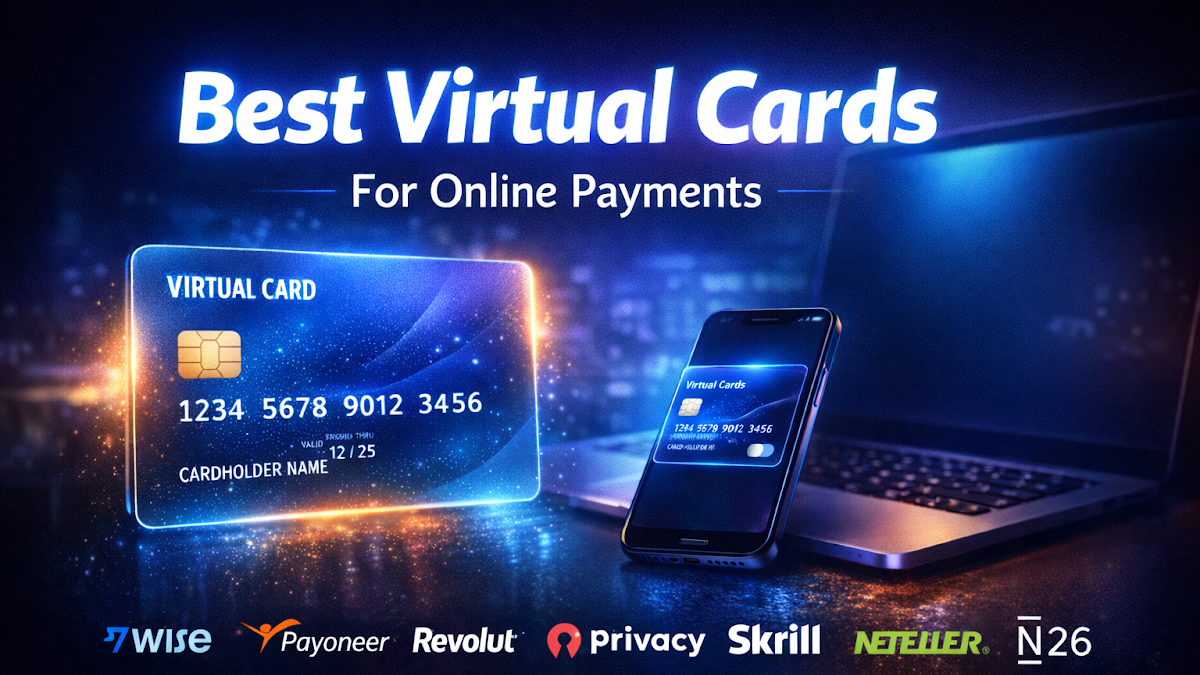
Short answer: A virtual card is a card number, expiry date and security code that exists only in an app, linked to a real bank, credit or prepaid account. You use it online so the merchant never sees your main card number. The best choice depends on where you live. In the US, Privacy.com gives you single-use and merchant-locked cards from a free plan (12 new cards a month), and Capital One cardholders can create merchant-specific virtual credit card numbers at no extra cost. In the UK, EU and Australia, Revolut's disposable card changes its number after every payment, and Wise, Monzo, Starling and N26 offer extra virtual cards. For in-store and in-app payments, Apple Pay and Google Pay already replace your card number with a token. Virtual cards are safe to use, and often safer than typing in your real card, but they are awkward for hotel and car-rental holds, some refunds, and recurring bills on single-use numbers.
In this guide
- What a virtual card is and how it works
- Virtual card options compared
- Availability by country (US, UK, EU, Canada, Australia)
- Bank-issued virtual card numbers
- Privacy.com (US)
- Revolut disposable cards
- Wise digital card
- Apple Pay and Google Pay (tokenization)
- Is a virtual card safe? Fraud protection and liability
- Virtual card vs physical card
- When a virtual card is most useful
- How to create a virtual card, step by step
- How to choose
- Limitations to know
- A worked example (hypothetical)
- When this doesn't apply
- FAQ
- Bottom line and next step
- Sources
What a virtual card is and how it works
A virtual card is a payment card with no plastic. It has the same three things a normal card has, a 16-digit number, an expiry date and a three- or four-digit security code (CVV or CVC), and it runs on the same networks, usually Visa or Mastercard. The difference is that you see the details only in an app or a browser extension, and they are separate from the number printed on your physical card.
When you pay with one, the merchant processes it like any other card payment. The authorisation request travels through the card network to whoever issued the virtual number. The issuer recognises that number as belonging to your account, checks any rules you set (a spending limit, a single merchant, a single use), and approves or declines. The money then comes out of the account behind the card: your credit line, your bank balance, or a prepaid balance you topped up.
The protection comes from separation. If a shop's database is breached or a checkout page is skimmed, the stolen number is the virtual one. You delete it, and your real card and everything linked to it keep working. With some types, the stolen number is already dead by the time anyone tries it.
The phrase "virtual card" covers several different things, and it helps to know which one you are looking at.
Standard (multi-use) virtual card
This is a second, permanent card number on your account that lives only in the app. You can use it again and again, including for subscriptions, and usually add it to Apple Pay or Google Pay. Revolut calls it a "multi-use" card, Wise calls it a "digital card", and Starling and Monzo simply call it a virtual card. It keeps your main card number private, but if the virtual number leaks, it can be misused until you freeze or delete it.
Single-use (disposable) virtual card
A single-use card works for one payment, then its details stop working. Revolut's disposable card generates new details after every payment. Privacy.com's single-use cards close after one transaction. This gives the strongest protection for a one-off purchase from a shop you don't know, but it can't be used for anything that charges you twice: subscriptions, instalments, hotel deposits or pre-authorisations.
Merchant-locked (merchant-specific) virtual card
A merchant-locked card works at one merchant only. Privacy.com's merchant-locked cards attach themselves to the first merchant that charges them. Capital One lets you create merchant-specific virtual card numbers for individual sites. If that merchant is breached, the stolen number is useless anywhere else. This is the most practical type for subscriptions, because the card keeps working for the one service you signed up to.
Tokenized wallet card (Apple Pay, Google Pay, Click to Pay)
When you add a card to Apple Pay or Google Pay, the card network creates a "token", a stand-in number that looks like a card number but is tied to your device or to a particular merchant. The merchant receives the token, not your real card number. You never see or type the token. This is technically a virtual card number too, and it is what most people already use when they tap a phone at a checkout. It is covered in its own section below.
Virtual credit card vs virtual debit or prepaid card
People search for "virtual credit card", but many popular virtual cards are not credit cards. Capital One's virtual numbers draw on your Capital One credit line, so the purchase is a credit card purchase with credit card protections. Privacy.com cards are, in its own terms, virtual prepaid cards funded from your bank account or debit card. Revolut, Wise, Monzo, Starling and N26 virtual cards are debit cards (or, in Revolut's US version, prepaid debit cards) that spend money you already hold. The type matters when something goes wrong, because the legal protections differ. See the safety section.
Virtual card options compared
The table below compares the main options on the points that decide which one suits you. "Cost" means the cost of the virtual card feature itself. Currency conversion, ATM and plan fees are separate and vary.
| Option | Where available | Card type | Single-use? | Merchant-locked? | Cost of feature | Key limit |
|---|---|---|---|---|---|---|
| Privacy.com | US residents only | Prepaid (Visa/Mastercard), funded from US bank account or debit card | Yes | Yes | Free Personal plan; paid plans $5, $10, $25 a month | 12 new cards a month on the free plan; 3% foreign transaction fee ($0.50 minimum) except on Pro and Premium |
| Capital One virtual card numbers (Eno) | US Capital One credit cardholders | Credit | No | Yes (merchant-specific) or general | No extra cost stated | US online purchases only; can't be added to Apple Pay or Google Wallet |
| Revolut disposable card | UK, EEA, US, Australia and other Revolut markets | Debit (prepaid debit in the US) | Yes | No | No additional fee to create; plans from free | 1 disposable card; up to 5 payments every 24 hours |
| Revolut multi-use virtual card | As above | Debit (prepaid debit in the US) | No | No | No additional fee to create | UK/Australia: up to 4 new cards every 30 days, max 20. US: up to 5 every 30 days |
| Wise digital card | UK, EEA, Canada, Australia, US and other listed countries | Debit (Visa) | No (but details can be replaced up to 3 times a day) | No | Free in the UK; check US terms | Up to 3 digital cards at a time |
| Monzo virtual cards | UK | Debit | No | No | 1 free; more on paid plans | Paid plans: up to 5 active, 9 new a month, 100 a year |
| Starling virtual cards | UK | Debit, linked to a Space | No | No | Free | Up to 5 active, 5 new a week; £500 a day per card |
| N26 virtual cards | EU markets N26 serves | Debit (Mastercard) | No | No | First free; extras €2.59 each on Standard; free on paid plans | Up to 6 virtual cards |
| Google Pay virtual card numbers (Chrome autofill) | Select banks and countries | Same as underlying card | Depends on issuer | Depends on issuer | No charge from Google stated | Some merchants opt out |
| Apple Pay / Google Pay wallet tokens | Widely available | Same as underlying card | Dynamic code per transaction | Device-specific | Free | You don't see the token, so it can't be typed into a web form |
Figures checked on the providers' official pages on September 29, 2026. Plans and limits vary by country, and the provider's own page takes priority if anything has changed.
Availability by country (US, UK, EU, Canada, Australia)
Virtual card options depend heavily on where you live, because most providers can only serve residents of countries where they hold a licence. Here is what was available to ordinary consumers on the review date.
| Option | US | UK | EU / EEA | Canada | Australia |
|---|---|---|---|---|---|
| Privacy.com | Yes | No | No | No | No |
| Capital One virtual numbers | Yes (eligible credit cards) | No | No | Not covered by the US feature | No |
| Revolut disposable and multi-use cards | Yes | Yes | Yes | No Canadian consumer site found on review date | Yes |
| Wise digital card | Listed, but check US terms | Yes | Yes | Yes | Yes |
| Monzo virtual cards | No (Monzo has closed its US service) | Yes | No | No | No |
| Starling virtual cards | No | Yes | No | No | No |
| N26 virtual cards | No | No | Yes (N26 markets) | No | No |
| Bank digital cards and dynamic CVC | Varies by bank | Varies by bank | Varies by bank | Varies by bank | E.g. CommBank digital card |
| Apple Pay / Google Pay tokens | Yes | Yes | Yes | Yes | Yes |
United States
The US has the widest range of "virtual card number" tools. Privacy.com is the specialist option, and some credit card issuers build virtual numbers into their apps, most prominently Capital One. Google's help pages describe virtual card numbers in Chrome autofill for eligible cards from participating banks and networks. The trade-off: Privacy.com cards are prepaid and funded from your bank, so you lose the stronger credit card protections unless you use a credit card-based option.
United Kingdom
UK residents are well served by app banks. Revolut, Monzo, Starling and Wise all offer virtual cards, and Revolut adds a true disposable card. There is no UK equivalent of Privacy.com's merchant-locked prepaid cards from a mainstream consumer provider that we could verify, so if merchant-locking matters most to you, the practical approach is a separate virtual card for each subscription, deleted when you cancel.
European Union and EEA
Revolut, Wise and N26 are the main pan-European options. N26 gives every customer a free virtual Mastercard (after a one-time €10 minimum balance to activate it on the Standard plan, according to its support page). Many traditional EU banks also offer virtual cards in their apps, but features vary so much by bank that you need to check your own.
Canada
Canada has the fewest options. Wise's help centre lists Canada among the countries where you can get a Wise digital card. We could not find a Canadian consumer version of Revolut's website on the review date (the Canadian address redirected to the UK site), so don't rely on Revolut in Canada without checking its site. For most Canadians, the realistic tools are Wise, the digital-wallet tokens built into Apple Pay and Google Pay, and whatever virtual or digital card features your own bank offers.
Australia
Revolut's Australian site offers the same disposable and multi-use virtual cards as in the UK, with the same limits. Wise's digital card is available to Australian account holders. Several big banks issue digital cards: CommBank, for example, gives eligible debit cardholders a digital card whose CVC differs from the physical card, and supports Click to Pay so the card number isn't typed into the shop's checkout.
Bank-issued virtual card numbers
Before signing up for a new app, check what your existing bank or card issuer already offers. A virtual number from your own credit card issuer is often the best option of all, because it keeps your rewards, your credit card protections and your statement in one place.
Capital One virtual card numbers (US)
Capital One lets eligible US credit cardholders create virtual card numbers that are tied to their credit card account but have their own number, expiry and CVV. Capital One describes two kinds: a general virtual card that works with most online merchants, and merchant-specific virtual cards that work at one merchant only. You can hold several merchant-specific cards at the same time.
According to Capital One's help centre, you can create them in the Capital One Mobile app, on the Capital One website, through the Eno browser extension, or through Google Pay in Chrome or on Android. Purchases appear on your normal statement and earn the same rewards as your physical card. You can lock, unlock or delete a virtual card at any time.
Three points from Capital One's own help page are worth knowing before you rely on it:
- Online and US only. Capital One says virtual cards work only for online purchases in the US, can't be added to Apple Pay or Google Wallet, and can't be used in a physical store.
- Not every card qualifies. Some Capital One card types and account users are excluded; Capital One mentions that retail partnership cards and authorized users may not be eligible. You also need online access and an activated physical card.
- Deleting a card stops recurring charges. If you delete a virtual number, recurring payments set up on it will be declined. If you lock your physical card, purchases on your virtual cards won't go through either.
Capital One also warns that travel bookings can be a problem if the hotel or rental company asks to see the physical card at check-in.
Citi virtual account numbers (US)
Citi has offered "Virtual Account Numbers" to US cardholders for many years through its card-benefits site, and that official page still exists. The program's rules have changed over time, and the page blocked automated access on the review date, so we could not confirm the current terms. If you have a Citi card, log in to your Citi account and check the Virtual Account Numbers page for the current version before relying on it.
Google Pay virtual card numbers in Chrome
Google offers virtual card numbers for eligible cards saved to Google Pay. When you check out with Chrome autofill, Chrome fills in a virtual number instead of your real card. Google's help page says the feature is "only available for select banks or networks in select countries or regions", and that issuers handle it in different ways: some use one virtual number with a new CVV for each merchant, others create a separate number for each merchant. Some merchant sites opt out of accepting these virtual cards. You can turn them on at checkout or in Chrome's payment settings (chrome://settings/payments) if your card is eligible.
UK app banks: Monzo and Starling
Monzo. Monzo's help centre says customers without a subscription plan can create one virtual card for free. On Monzo Plus, Premium, Extra, Perks and Max, you can have up to five active virtual cards at a time, create up to nine new ones a month, and up to 100 in a rolling 12-month period.
Starling. Starling's virtual cards are free with personal and joint accounts. Each is linked to one of your "Spaces" (savings pots) rather than your main balance, so when the Space runs out, the card declines instead of dipping into your main account. You can have up to five active virtual cards and create up to five new ones a week. Starling lists a daily limit of £500 and 50 transactions per card, and says virtual cards can't be used with money transfer services, crypto exchanges or betting companies. This Space-based design is very good for budgeting a subscription or a holiday.
N26 (EU)
N26 gives Standard customers one free virtual Mastercard, with extra virtual cards at a one-off fee of €2.59 each. Customers on its paid plans (Smart, Go and Metal) can order virtual cards at no extra cost. You can hold up to six virtual cards, and they work with Apple Pay, Google Pay and other wallets.
Your own bank's "digital card"
Many traditional banks now give you a digital version of your card the moment an account is opened, sometimes with a different security code from the plastic card. CommBank in Australia is one example: its digital debit card has a CVC that differs from the one printed on the physical card. That is useful, but it is not the same as a separate virtual number. If the digital details and the physical card share the same 16-digit number, cancelling one may cancel both. Ask your bank exactly what happens before you treat it as a disposable card.
Privacy.com (US)
Privacy.com is the best-known standalone virtual card service in the US, and it is built entirely around creating many cards with individual rules. According to its card terms, Privacy cards are issued by Patriot Bank, N.A., Member FDIC, under licences from Mastercard and Visa, and can be used wherever those networks are accepted.
Who can use it
Privacy's support centre says the service is for US citizens or legal residents aged 18 or over who hold a US checking account and a US phone number. US citizens living abroad need a US residential address. You fund cards from a checking account or debit card at a US bank or credit union. Privacy's support pages say credit cards are not supported as a funding source, so you won't earn credit card rewards on Privacy spending (paid plans offer their own cashback, below).
Plans and prices
| Plan | Price | New cards a month | Main extras | Foreign transaction fee |
|---|---|---|---|---|
| Personal | Free | 12 | Single-use and merchant-locked cards, spend limits, pause and close cards | 3% ($0.50 minimum) |
| Plus | $5/month or $60/year | 24 | Adds category-locked cards, card sharing, card notes, API access | 3% ($0.50 minimum) |
| Pro | $10/month or $120/year | 36 | Adds "Everywhere Cards" (max 3 open) and 1% cashback on up to $4,500 of purchases a month | None |
| Premium | $25/month or $300/year | 60 | Everything in Pro; aimed at small businesses | None |
Source: Privacy.com pricing page, checked September 29, 2026.
What you can do with the cards
- Single-use cards close automatically after one transaction.
- Merchant-locked cards lock to the first merchant that charges them and can't be used anywhere else afterwards.
- Category-locked cards (Plus and above) limit a card to a category of spending.
- Spend limits on any card, per transaction or over a period, with anything above the limit declined.
- Pause and close any card instantly from the app or browser extension (Chrome, Safari, Edge and Firefox are supported).
Drawbacks to weigh
The biggest one is the 3% foreign transaction fee (minimum $0.50) on the free and Plus plans. That makes Privacy a poor choice for paying overseas merchants unless you pay for Pro or Premium. Our explainer on foreign transaction fees and DCC shows how these charges add up. Second, because the cards are funded from your bank account, unauthorised use is handled under the rules for prepaid and debit-type accounts, not the stronger credit card rules. Privacy's terms ask you to report errors within 60 days and open payment disputes within 90 days of the transaction. Third, Privacy's own blog notes that hotels and car rental firms often want a physical card, so plan around that for travel.
Revolut disposable cards
Revolut is the most widely available app with a genuine disposable card. It serves the UK, the EEA, the US, Australia and a number of other countries, and the virtual card features are similar across its markets, though the exact limits differ.
How the disposable card works
Revolut describes its disposable card as a virtual debit card whose details refresh every time you pay, so a merchant "can't use the same details to charge you again". You don't create a new card each time. You hold one disposable card, and its number changes after each purchase. Revolut's UK, US and Australian virtual card pages all say you can have one disposable card linked to your account and make up to five payments with it every 24 hours.
Revolut is clear that disposable cards are "not designed for contactless or recurring payments". Its help centre adds that single-use cards can't be used for subscriptions, rental deposits or payments that need pre-authorisation, such as hotel bookings and some online retailers. Refunds can still reach your Revolut account after the card details have changed.
Multi-use virtual cards
Alongside the disposable card, Revolut offers multi-use virtual cards with permanent details. They work for subscriptions and can go into Apple Pay or Google Pay for in-store use. In the UK and Australia, Revolut says you can create up to four multi-use cards every 30 days, to a maximum of 20. The US page says up to five every 30 days. Revolut states there are no additional fees for creating virtual cards and tells you to check your plan for details. In the US, Revolut describes these as virtual prepaid debit cards.
Plan prices (UK)
Virtual cards are available on Revolut's free Standard plan. Paid plans add other benefits (higher fee-free exchange limits, insurance and so on) but aren't needed for the virtual cards themselves. For reference, Revolut's UK plan comparison listed Standard (free), Plus (£3.99 a month), Premium (£7.99), Metal (£14.99) and Ultra (£55) on the review date. Prices differ by country, so check the pricing page for yours.
One point relevant to paying abroad: on the UK Standard plan, Revolut applies a monthly fair-usage limit of £1,000 on currency exchange without additional fees (Monday to Friday), with a 1% fair-usage fee above that and a 1% weekend exchange fee. If you use a virtual card for purchases in other currencies, that can matter.
Wise digital card
Wise is a multi-currency account best known for international transfers, and Wise says its card spends at the mid-market exchange rate. Conversion fees apply when you spend a currency you don't hold, and are listed on Wise's pricing page. The digital card is a virtual version of the Wise card.
What you get
- Up to three digital cards at a time, in addition to your physical card, according to Wise's help centre.
- Replace the details up to three times a day. When you generate new details, the old ones stop working. This isn't a true single-use card, but it gets close: after a risky purchase, replace the card and the old number is dead.
- Refunds still arrive after replacement or deletion. Wise says refunds can reach your account even if the card details were replaced or deleted, and that they usually take five to ten working days to appear after the merchant processes them.
- Wallet support. Digital cards work with Apple Pay and Google Pay for in-store and online payments, and for withdrawals at contactless ATMs.
Eligibility and cost
Wise's help centre lists digital cards for accounts registered in Australia, Brazil, Canada, the EEA, Japan, New Zealand, the Philippines, Singapore, Switzerland, the UK and the US. Wise's UK virtual card page says the virtual card is free to personal and business customers but adds "not eligible to customers in the US", so US users should confirm the terms in the Wise app. You normally need to order a physical Wise card to get the digital card, and the digital card is ready to use immediately.
Wise is a strong choice for freelancers and travellers who hold several currencies. If you are paid by international clients, our guide on how to get paid as a freelancer by international clients explains how accounts like Wise fit into the rest of your setup.
Apple Pay and Google Pay (tokenization)
If you tap your phone to pay, you are already using a virtual card number. It's called a token, and it is the most widely used form of virtual card in the world.
How tokenization works
Visa describes its Token Service as technology that replaces the 16-digit card number (the "primary account number", or PAN) with a token that only Visa can unlock. Mastercard's equivalent is the Mastercard Digital Enablement Service (MDES), which Mastercard says replaces your card number with a "stand-in" number stored on your phone, watch, or at a merchant where you save your card. The industry standard behind both is the EMV Payment Tokenisation framework published by EMVCo, which says a payment token should not be usable beyond a specific merchant, device or payment scenario. That is what reduces the value of stolen data.
Apple Pay
Apple's security overview explains that when you add a card, your bank or card issuer creates a device-specific "Device Account Number", encrypts it and sends it to your device, where it is stored in the Secure Element chip. Apple says the Device Account Number is never stored on Apple's servers or backed up to iCloud, that Apple doesn't store your original card number, and that each payment uses a dynamic security code unique to that transaction. Apple also says it doesn't keep transaction information that can be tied back to you when you pay with a credit, debit or prepaid card.
Google Pay and Google Wallet
Google Wallet also uses tokens for tap-to-pay. Separately, as described above, Google Pay can give you virtual card numbers for Chrome autofill with eligible cards. Google's own help page points out that these are two different things: the device token used for contactless payments, and the virtual number used when you check out on a website.
Click to Pay
Click to Pay is a checkout option backed by the card networks that some websites show next to the normal card form. CommBank, for example, explains that Click to Pay lets you pay online without entering your card number, expiry or CVC at checkout, so those details aren't shared with the shop. Where a site offers it, it gives you token-level protection without a separate app.
Tokens vs "virtual card numbers"
The practical difference is that you can't see or copy a wallet token. That makes it very safe, but it only works where the merchant accepts Apple Pay, Google Pay or Click to Pay. A virtual card number from Privacy, Revolut, Wise or your bank can be typed into any card form, including a website that has never heard of Apple Pay. Many people use both: wallets wherever they're accepted, and a virtual number everywhere else.
Is a virtual card safe? Fraud protection and liability
Yes. A virtual card from a regulated provider is at least as safe as the card or account behind it, and usually safer for online shopping, because a leaked number can be deleted without touching your main card. But a virtual card doesn't create new legal rights. Your protection comes from the type of account it is linked to and the law in your country.
United States: credit (Regulation Z) vs debit and prepaid (Regulation E)
Credit cards. Under Regulation Z (12 CFR 1026.12), a cardholder's liability for unauthorised use of a credit card cannot exceed the lesser of $50 or the amount charged before the issuer is notified. Issuers can choose not to charge anything at all. A virtual number linked to a credit card, such as Capital One's, sits on that credit account.
Debit and prepaid accounts. Regulation E (12 CFR 1005.6) sets three tiers when an access device such as a debit card is lost or stolen: up to $50 if you report within two business days of learning about it, up to $500 if you report later, and potentially unlimited liability for unauthorised transfers that happen after 60 days from when a statement showing the problem was sent, if you haven't reported it. The CFPB's prepaid rule brought prepaid accounts under these protections, but, as the CFPB notes, protections for prepaid accounts generally apply once your identity has been verified (the account is registered). Privacy.com, Revolut US and similar prepaid-style cards fall under this side of the rules, together with the provider's own terms.
Disputes about the purchase itself. If the goods never arrive or aren't as described, a credit card gives you billing-dispute rights under federal law. With debit and prepaid cards, you mainly rely on the card network's chargeback process and the provider's own policy. Our guide to disputing a credit card charge in the US and UK walks through both routes.
United Kingdom: Section 75 applies to credit cards only
Section 75 of the Consumer Credit Act makes a credit card provider jointly liable with the seller when something goes wrong with a purchase costing more than £100 and up to £30,000. MoneyHelper, the government-backed guidance service, is clear that Section 75 doesn't apply to anything bought with a debit card. Debit and prepaid cards rely on chargeback instead, which MoneyHelper describes as an agreement Visa, Mastercard and American Express have signed up to rather than a legal right. Most UK virtual cards (Revolut, Monzo, Starling, Wise) are debit cards, so they don't carry Section 75 cover.
For unauthorised payments, the Payment Services Regulations 2017 require your provider to refund an unauthorised transaction, generally by the end of the next business day after it becomes aware. It can hold you liable for up to £35 where a lost, stolen or misappropriated payment instrument was used, and for all losses only if you acted fraudulently or with intent or gross negligence. The Financial Ombudsman Service describes the bar for gross negligence as very high.
European Union
Under the revised Payment Services Directive (PSD2), the European Commission's Your Europe guidance says your liability for an unauthorised payment is capped at €50, except in cases of gross negligence. You aren't liable for payments made after you tell your bank, or where you couldn't have known about the loss or theft, for example because your card details were copied without your knowledge.
Canada
The Financial Consumer Agency of Canada says your maximum liability by law for an unauthorised credit card transaction is $50 unless gross negligence is shown. It also notes that Visa, Mastercard, American Express and Interac have made commitments to protect consumers from losses when their card is used without permission.
Australia
The ePayments Code, administered by ASIC, sets rules for who pays for unauthorised electronic transactions. ASIC summarises the general principle as: customers are not liable for unauthorised transactions if they took reasonable steps to protect their accounts.
What a virtual card adds on top
- Smaller blast radius. A stolen merchant-locked or single-use number is worthless, or close to it.
- Instant control. You can freeze or delete a card in seconds, without waiting for a replacement.
- Spending caps. Limits cap what a leaked number, or an unexpected renewal, can take.
- Fewer card replacements. When a merchant is breached, you replace one virtual card, not the card you use everywhere.
A virtual card won't protect you from authorising a payment to a scammer yourself. If you are tricked into paying, it counts as an authorised payment in most systems, whatever card you used. Merchants face the other side of this problem; our guide to card-not-present fraud prevention explains how online shops try to stop stolen card numbers.
Virtual card vs physical card
| Feature | Virtual card | Physical card |
|---|---|---|
| Ready to use | Instantly, in the app | After delivery and activation |
| Online shopping | Yes, and safer if breached | Yes |
| In-store | Only through Apple Pay or Google Pay (multi-use cards, where supported) | Yes (chip, PIN, contactless) |
| ATM withdrawals | Rarely; some via wallets at contactless ATMs (Wise, N26) | Yes |
| Hotel and car hire holds | Often a problem | Normally fine (credit card preferred) |
| Can be lost or skimmed | Can't be lost; details can be deleted in seconds | Can be lost, stolen or skimmed |
| Replacement after fraud | New number in seconds | New card by post, days later |
| Legal protections | Same as the account behind it | Same as the account behind it |
For most people, the answer isn't one or the other. Keep a physical card for in-person payments, cash, travel and anything that needs the card to be shown, and use virtual cards for online shopping, free trials and subscriptions.
When a virtual card is most useful
Free trials
Free trials that turn into paid subscriptions are the classic use case. Create a merchant-locked card with a low limit, or on Privacy a single-use card, and use it to sign up. If you forget to cancel, the renewal is declined. Be aware that some services check whether a card is prepaid or single-use at sign-up and refuse it.
Subscriptions
Give each subscription its own merchant-locked or multi-use virtual card. When you want to cancel, you can also delete the card, which stops a merchant that "forgets" to process your cancellation. It also means one breached streaming service doesn't force you to update the card on twenty other accounts. Starling's Space-linked cards are useful here: put the monthly budget in a Space and the card can't overspend it.
One-off purchases from unfamiliar shops
Buying once from a website you've never used? A disposable card (Revolut) or single-use card (Privacy) means the number can't be charged again, even if the site stores it or is later breached. Keep in mind that a virtual card doesn't make a fake shop real. If the goods never arrive, you still need to dispute the payment.
Travel bookings
Virtual cards work well for flights, trains, tours and tickets paid in full at booking. They work badly for hotels and car hire, which often put a hold on the card and may ask to see the physical card at the desk. Book those with a normal credit card, and bring it with you.
Freelancers and small businesses
A separate virtual card for each client project, software tool or ad account keeps spending easy to track and makes receipts simple to match. Privacy's Plus and Premium plans add card sharing, notes and API access for this. Wise's digital cards suit freelancers who hold several currencies. Payoneer also offers virtual cards to eligible account holders, but its eligibility depends on your account activity and its fees vary by product and country, so check Payoneer's pricing page before relying on it.
How to create a virtual card, step by step
The steps below follow each provider's own instructions on the review date. App layouts change, so the button names may be slightly different on your device.
Privacy.com (US)
- Sign up at privacy.com (or in the iOS or Android app) and complete Privacy's identity checks. You need to be a US citizen or legal resident aged 18 or over, with a US phone number.
- Link a funding source: a checking account or debit card at a US bank or credit union.
- In the app or browser extension, create a new card and pick single-use or merchant-locked.
- Set a spend limit and give the card a name so you can recognise it later.
- Copy the number, expiry and CVV into the checkout, or let the browser extension fill them in.
- Pause or close the card from the app whenever you want.
Capital One virtual card numbers (US)
- Make sure your physical Capital One credit card is activated and you have online access.
- In the Capital One Mobile app or on capitalone.com, open your card and look for the virtual card option. Or install the Eno browser extension.
- At a merchant's checkout, use Eno to create a merchant-specific virtual number, or create a general virtual card in the app.
- Enter the details at checkout. The purchase appears on your normal Capital One statement.
- Lock, unlock or delete the virtual card from the app or website. Remember that deleting it will decline recurring charges on that number.
Revolut (UK, EEA, US, Australia)
- Open the Revolut app and go to the Cards section.
- Tap the option to add a card, choose a virtual card, then choose "Disposable" for one-off purchases or a multi-use card for subscriptions and wallets.
- Tap the card, then "Show details" to see the number, CVV and expiry.
- Pay. With a disposable card, the details change automatically after the payment.
- For multi-use cards, add the card to Apple Pay or Google Pay if you want to use it in shops.
Wise
- Open a Wise account and order a Wise card (the digital card is linked to your card order).
- In the app or on the website, go to Cards and choose the option to get a digital card. It is ready immediately.
- View the card number, expiry and CVV in the app, or add the card to Apple Pay or Google Pay.
- To change the details, open the digital card and choose "Replace card" (up to three times a day). The old details stop working at once.
Monzo, Starling and N26
- Monzo: in the app, go to the card section and create a virtual card. One is free; paid plans allow more.
- Starling: create a virtual card from a Space in the app, then move the amount you want to spend into that Space.
- N26: go to the Cards tab in the app and create a virtual card, then add it to your digital wallet if you want to use it in person.
Apple Pay and Google Pay
Open Apple Wallet or Google Wallet, add your card, and complete your bank's verification step. The bank then issues a token for that device, and you pay by tapping your phone or watch, or with the Apple Pay or Google Pay button online.
How to choose
Work through these questions in order. Most people end up with one clear answer.
1. Where do you live?
This narrows the field fast. In the US: Privacy.com, your credit card issuer's virtual numbers, Google Pay virtual numbers, Revolut. In the UK: Revolut, Monzo, Starling, Wise. In the EU: Revolut, Wise, N26, plus your bank. In Canada: Wise, wallet tokens, and your bank. In Australia: Revolut, Wise, your bank's digital card and Click to Pay.
2. Do you want credit card protection?
If you mainly want the purchase protections that come with credit (US billing-dispute rights, UK Section 75), start with a virtual number from your credit card issuer, or use Apple Pay or Google Pay with a credit card. Debit-based and prepaid virtual cards protect your card number but not the purchase in the same way.
3. One-off purchases, or recurring ones?
One-off: a disposable or single-use card (Revolut, Privacy). Recurring: a merchant-locked card (Privacy, Capital One) or a separate multi-use virtual card for each subscription (Revolut, Monzo, Starling, Wise, N26).
4. Will you pay in other currencies?
Privacy's free and Plus plans charge 3% on international transactions. Wise and Revolut are designed for multi-currency spending, though Revolut's free plan has fair-usage limits and weekend fees. Also check what your credit card charges for foreign transactions.
5. How many cards do you need, and do you want another app?
If you want dozens (one per subscription, one per project), check the limits: 12 a month on Privacy's free plan, four or five every 30 days on Revolut, nine a month on Monzo's paid plans, five a week on Starling, three at a time on Wise. If you only need a few, a virtual number from the bank or card you already use means no new account and no new place to move money, which is why it's worth checking your current bank first.
Limitations to know
Hotel and car rental holds
Hotels and car hire companies usually take a pre-authorisation (a hold) at booking or check-in, and many ask to see the physical card. Revolut says its disposable card can't be used for payments requiring pre-authorisation, and Capital One and Privacy both warn that travel providers may ask for the physical card. Use a normal credit card for these bookings.
Refunds to a closed or changed card
A refund goes back to the card number that was charged. Revolut and Wise both say refunds still reach your account after a disposable card's details change or a digital card is replaced or deleted. Other providers may handle it differently. Before you delete a card, check whether you're still waiting for any refund, and keep the last four digits (Wise shows them under the transaction as "Card ending in") in case the merchant asks.
Recurring payments on single-use cards
A single-use or disposable number will decline the second charge. That's the point when you're avoiding a trial renewal, but a problem for something you want to keep, like insurance or a phone contract. Use a merchant-locked or multi-use card for those.
Some merchants reject prepaid or virtual cards
Merchants can see that a card is prepaid, and some refuse prepaid cards for subscriptions, rentals or trials. Google also notes that some merchants opt out of accepting its virtual card numbers. If a card is declined for no obvious reason, try a multi-use card, a credit card-based virtual number or a digital wallet.
In-person use and cash
Most virtual card numbers can't be used in shops unless they can be added to Apple Pay or Google Pay. Capital One's can't. Single-use and disposable cards can't be used contactless. Cash withdrawals are generally not possible, with a few exceptions through wallets at contactless ATMs.
Weaker protections on debit and prepaid
As covered above, a debit-type or prepaid virtual card doesn't bring UK Section 75 cover or US credit card billing-dispute rights. For large purchases, that can matter more than hiding the card number.
Buy now, pay later checkouts
BNPL repayments are taken in instalments, so a single-use card will fail after the first one, and some lenders may refuse prepaid cards altogether. If you use BNPL, link a normal debit card or a multi-use card for repayments. Our guide to buy now, pay later covers what happens if a repayment fails.
A worked example (hypothetical)
This is a hypothetical example for illustration only. The person, merchants and amounts are invented. The provider features and fees are the ones listed on official pages on September 29, 2026.
Scenario: Dana, a hypothetical freelancer in the US, has a Capital One credit card and a checking account at a local bank. In one month she wants to do five things online.
| Purchase | Card she uses | Why |
|---|---|---|
| 7-day free trial of a design app, $15/month afterwards | Privacy.com merchant-locked card, $1 spend limit | If she forgets to cancel, the $15 renewal is declined |
| $80 order from a small online shop she has never used | Privacy.com single-use card, $80 limit | The number can't be reused if the shop is breached |
| $1,200 laptop from a large retailer | Capital One merchant-specific virtual number | Credit card billing-dispute rights and rewards on a large purchase, without exposing her main card number |
| Two-night hotel stay with a deposit hold | Her physical Capital One credit card | Hotels may want a hold and to see the physical card |
| $30 a month cloud storage paid to a European company in euros | Capital One merchant-specific virtual number (if her card has no foreign transaction fee), not Privacy's free plan | Privacy's free plan would add a 3% fee (at least $0.50) each month |
On the euro subscription, Privacy's free plan would cost her 3% of about $30, which is $0.90 a month, or $10.80 a year in fees on that one subscription. That's small, but it's pure cost with no benefit, since the Capital One virtual number gives her the same merchant lock. Dana pays nothing for Privacy because she stays within the free plan's 12 new cards a month.
The same month in the UK (hypothetical). A UK version of Dana with a Revolut Standard account and a high-street credit card might use Revolut's disposable card for the one-off shop, a Revolut multi-use card for the design app (and delete it on cancelling), and the credit card for the laptop, because a £1,000 purchase on a credit card has Section 75 cover and the Revolut debit card doesn't. The hotel still goes on the physical credit card.
When this doesn't apply
- Business and corporate cards. Company virtual card programs (for expenses, procurement or supplier payments) are a different product with their own terms, and the consumer protections described above often don't apply to them.
- Gift cards and "virtual prepaid" retail cards. A virtual gift card from a shop or network is not the same as a virtual card linked to your account. It often can't be reloaded or used for refunds, and it may have fees and expiry rules of its own.
- Buy now, pay later "virtual cards". Some BNPL apps issue a one-time virtual card to pay a merchant. The protections and repayment terms are the BNPL lender's, not a normal card's.
- Countries not covered here. Outside the US, UK, EU, Canada and Australia, availability and legal protections differ. Check your own regulator and provider.
- Accounts you can't open. Privacy.com requires a US checking account and US residency. Revolut, Wise and app banks require identity checks in the country where you live. A virtual card doesn't get round those rules.
- Payments that aren't card payments. Bank transfers, direct debits and ACH payments don't use a card number, so a virtual card doesn't protect them.
FAQ
What is a virtual card number and how does it work?
It's a card number, expiry date and security code generated by your bank or a card provider and linked to your account, but different from the number on your physical card. You enter it at an online checkout like any card. The payment goes through the Visa or Mastercard network to the issuer, which checks your rules (limit, merchant lock, single use) and charges the account behind it.
Is a virtual card safe?
Yes. A virtual card from a regulated provider has the same legal protections as the account behind it and adds a layer: if the number leaks, you delete it and your main card is unaffected. Single-use and merchant-locked cards are the safest, because a stolen number is useless elsewhere. The main thing it can't protect you from is being tricked into approving a payment yourself.
What's the difference between a virtual card and a virtual credit card?
A virtual credit card is linked to a credit line, such as Capital One's virtual numbers. Many virtual cards are debit or prepaid instead: Privacy.com cards are prepaid and funded from your bank, and Revolut, Wise, Monzo, Starling and N26 virtual cards spend your balance. The difference matters for purchase protection, such as Section 75 in the UK, which only covers credit cards.
What is a disposable virtual card?
A card whose details work for a single payment. Revolut's disposable card generates new details after every payment (up to five payments every 24 hours), and Privacy.com's single-use cards close after one transaction. They're ideal for one-off purchases, but won't work for subscriptions, hotel holds or deposits.
Can I use a virtual card in a shop?
Only if it can be added to Apple Pay, Google Pay or another wallet. Multi-use virtual cards from Revolut, Wise, Starling and N26 can be. Disposable cards and Capital One's virtual numbers can't be used in physical stores.
Can I use a virtual card for subscriptions?
Yes, with a merchant-locked card (Privacy, Capital One) or a multi-use virtual card. Don't use a disposable or single-use card, because the second charge will be declined.
What happens to refunds if I delete the virtual card?
It depends on the provider. Revolut and Wise say refunds still reach your account after the card details change or the card is deleted. With other providers, check before you delete a card, and keep a note of the last four digits in case the merchant asks.
Why was my virtual card declined?
Common reasons: the card was single-use and already used, a merchant lock was set to a different merchant, the spend limit was too low, the merchant refuses prepaid or virtual cards, the payment needed a pre-authorisation, or the provider blocks that type of merchant (Starling, for example, blocks crypto exchanges and betting sites on virtual cards). Check the decline reason in the app.
Are Apple Pay and Google Pay virtual cards?
In effect, yes. They replace your real card number with a token that only works on your device or with a particular merchant. Apple says your Device Account Number is never stored on Apple's servers, and each payment uses a one-time dynamic security code. You can't see or type the token, so for websites without Apple Pay or Google Pay you still need a regular or virtual card number.
Is Privacy.com available outside the US?
No. Privacy's support pages say it is for US citizens or legal residents aged 18 or over with a US checking account and phone number. Outside the US, look at Revolut, Wise, your app bank or your own bank's virtual card features.
Bottom line and next step
A virtual card is one of the easiest ways to make online payments safer, and for most people it's free. In the US, a Privacy.com free account covers trials and one-off purchases, and a virtual number from your credit card issuer covers bigger buys where you want credit card protection. In the UK, EU and Australia, Revolut's disposable card is the closest thing to a true single-use card, and Wise, Monzo, Starling and N26 give you extra virtual cards for subscriptions. In Canada, Wise and your wallet tokens are the practical options. Wherever you live, keep a physical credit card for hotels, car hire and in-person returns.
Your next step: open your current bank or card app and look for "virtual card", "digital card" or "virtual card number". If it's there, create one for your next online purchase and one for each subscription you'd like to control. If it isn't, pick one provider from the availability table for your country, check its current plan page, and set up a single card before you need it. If you're also weighing up which credit card to keep for those bigger purchases, our guide on how to choose the right credit card is a good place to start.
Sources
All sources accessed September 29, 2026.
- Privacy.com, Pricing (plans, cards per month, foreign transaction fee) — https://www.privacy.com/pricing
- Privacy.com, Homepage and issuer disclosure (Patriot Bank, N.A.; card types; browser extensions) — https://www.privacy.com/
- Privacy.com, Card Terms (prepaid virtual cards, dispute and error timelines, 3% / $0.50 international fee) — https://www.privacy.com/card-terms
- Privacy.com Support, Who can use Privacy? — https://support.privacy.com/hc/en-us/articles/360012046934-Who-can-use-Privacy
- Privacy.com Support, What can I use to fund my Privacy Account? — https://support.privacy.com/hc/en-us/articles/360015788853-What-can-I-use-to-fund-my-Privacy-Account
- Privacy.com, Virtual Credit Cards: Acceptance and Networks — https://www.privacy.com/blog/virtual-credit-card-acceptance-network
- Capital One Help Center, Using virtual credit cards — https://www.capitalone.com/help-center/credit-cards/using-virtual-credit-cards/
- Capital One, What Is a Virtual Credit Card Number? — https://www.capitalone.com/learn-grow/money-management/what-are-virtual-card-numbers/
- Capital One, Eno virtual card numbers — https://www.capitalone.com/digital/eno/virtual-card-numbers/
- Citi Card Benefits, Virtual Account Numbers (could not be loaded on review date) — https://www.cardbenefits.citi.com/Products/Virtual-Account-Numbers
- Revolut UK, Virtual card (disposable and multi-use; card limits) — https://www.revolut.com/cards/virtual-card/
- Revolut US, Virtual Card — https://www.revolut.com/en-US/cards/virtual-card/
- Revolut Australia, Virtual card — https://www.revolut.com/en-AU/cards/virtual-card/
- Revolut UK, Compare Revolut plans — https://www.revolut.com/our-pricing-plans/
- Revolut Help Centre, My single-use virtual card isn't working — https://help.revolut.com/en-US/help/cards/card-issue/my-disposable-virtual-card-is-not-working/
- Wise Help Centre, Getting started with your Wise digital card — https://wise.com/help/articles/1AqrRndtxosydM2GLR3U6T/getting-started-with-your-wise-digital-card
- Wise Help Centre, How do I replace or delete my Wise digital cards? — https://wise.com/help/articles/6cPdnnTy4nktu5Gh1CLmMh/how-do-i-replace-or-delete-my-wise-digital-cards
- Wise UK, Virtual card — https://wise.com/gb/virtual-card/
- Monzo Help, How many virtual cards can I have? — https://monzo.com/help/monzo-plus/virtual-cards-limits
- Starling Bank, Virtual cards — https://www.starlingbank.com/features/virtual-cards/
- N26 Support, What is a Virtual Card? — https://support.n26.com/en-eu/cards/setup-and-usage/what-is-a-virtual-card
- Payoneer, Pricing — https://www.payoneer.com/pricing/
- CommBank, Digital Card — https://www.commbank.com.au/digital-banking/digital-card.html
- CommBank, Click to Pay — https://www.commbank.com.au/digital-banking/click-to-pay.html
- Apple Support, Apple Pay security and privacy overview — https://support.apple.com/en-us/101554
- Google Pay Help, Use virtual cards to pay online or in apps — https://support.google.com/googlepay/answer/11234179
- Visa, Tokenization — https://www.visa.com/en-us/solutions/tokenization
- Mastercard, What is tokenization? — https://www.mastercard.com/us/en/news-and-trends/stories/2025/what-is-tokenization.html
- EMVCo, EMV Payment Tokenisation — https://www.emvco.com/emv-technologies/payment-tokenisation/
- CFPB, Regulation Z §1026.12 (credit card liability for unauthorized use) — https://www.consumerfinance.gov/rules-policy/regulations/1026/12/
- CFPB, Regulation E §1005.6 (liability for unauthorized electronic fund transfers) — https://www.consumerfinance.gov/rules-policy/regulations/1005/6/
- CFPB, Protections for prepaid accounts — https://www.consumerfinance.gov/prepaid-rule/
- MoneyHelper, Section 75 and chargeback protection — https://www.moneyhelper.org.uk/en/everyday-money/credit/how-youre-protected-when-you-pay-by-card
- legislation.gov.uk, The Payment Services Regulations 2017, Part 7 — https://www.legislation.gov.uk/uksi/2017/752/part/7
- Financial Ombudsman Service, Unauthorised transactions and identity theft — https://www.financial-ombudsman.org.uk/businesses/complaints-deal/fraud-scams/unauthorised-transactions-identity-theft
- European Commission, Your Europe: Payments, transfers and cheques in the EU — https://europa.eu/youreurope/citizens/consumers/financial-products-and-services/payments-transfers-cheques/index_en.htm
- Financial Consumer Agency of Canada, Unauthorized credit and debit transactions: know your rights and responsibilities — https://www.canada.ca/en/financial-consumer-agency/services/rights-responsibilities/protection-unauthorized-transactions.html
- ASIC, ePayments Code — https://www.asic.gov.au/regulatory-resources/financial-services/epayments-code